← MineAddons Hub / Datapacks
HUD+ — Live Coords & Time
Your coordinates, always visible. No F3, no debug spam.
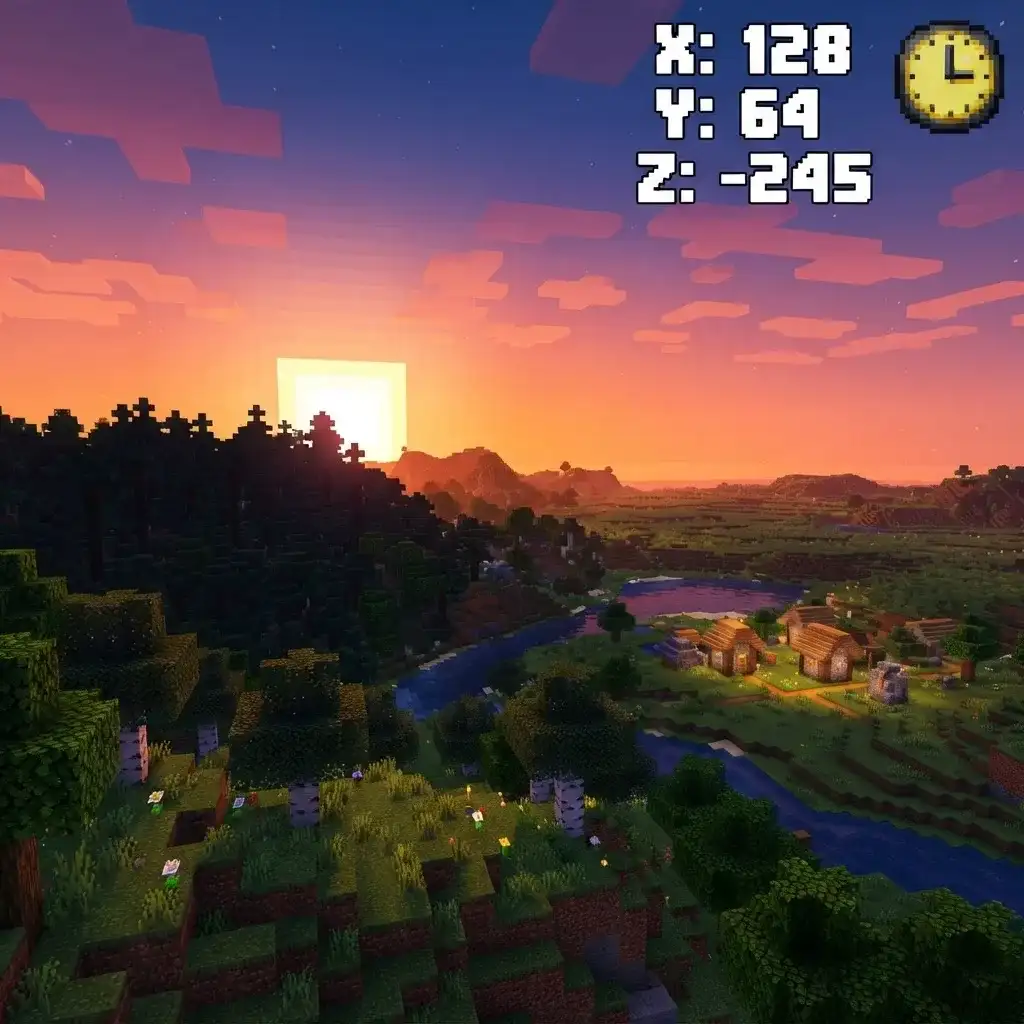
Built & lint-tested on: Minecraft Java 1.21.x (pack format 48). Big MC update coming? Datapacks usually keep working; we push a fixed version after each release — see changelog below.
Pressing F3 covers half your screen with debug noise. HUD+ puts exactly what you need — live X/Y/Z coordinates and world time — on the action bar, updating every tick. Small, clean, and always there when you need to find your way home.
Features
- Live X/Y/Z coordinates on the action bar, updated every tick
- World time display so you never get surprised by night
- 1.3 KB datapack — zero measurable performance impact
- No config needed — drop it in and it works
- Vanilla 1.21+ (pack format 48) — no Forge or Fabric
How to install (60 seconds)
New to datapacks? Read the full step-by-step guide: How to Install a Minecraft Datapack (60 Seconds).
- Click the download button below — keep the .zip as-is (no unzipping)
- Move it to
.minecraft/saves/<your world>/datapacks/ - Open the world and type
/reload - That's it — works in single-player, servers and Realms
Changelog
- v1.0.0 — 2026-09-15 — Initial release: full 1.21 (pack format 48) support
Free · no account · one short sponsor page (Linkvertise), then the .zip downloads.
Free forever · one short sponsor step keeps this pack free — see FAQ
FAQ
Are these datapacks really free?
Yes — every pack is free. When you click Download you may see a short sponsor step from our link partner (Linkvertise). Completing it funds the site and keeps every datapack free. No account, no payment, ever.
Do I need Forge or Fabric?
No. Datapacks are a vanilla Minecraft feature. Drop the .zip into your world and it works — no mods, no launchers.
Which Minecraft versions are supported?
Java Edition 1.21 and newer (pack format 48). They are not for Bedrock Edition.
Will a datapack break or change my world?
No. Datapacks only add light behaviors — they never modify your world files. Remove the .zip (or run /datapack disable) and everything returns to vanilla.
Do they work on servers and Realms?
Yes — single-player, LAN, servers and Realms all support datapacks.
More free datapacks
Quick Home — Warp Home
Set your home with one command, warp back anytime. 60s cooldown.
Also grab: HUD+ Coords · Auto-Replant · Vein Miner