Minecraft 26.4 Snapshot 1: Vulkan, Sulfur Caves & Mushroom Changes
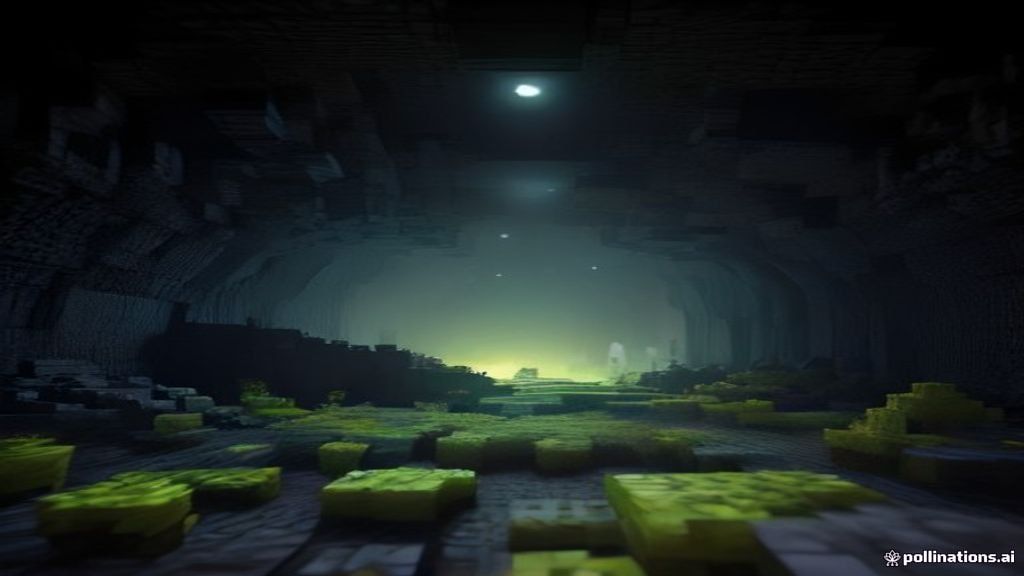
The first snapshot for Minecraft 26.4 dropped on September 22, 2026, and it is a surprisingly meaty one. While players are still exploring the Dappled Forest and abandoned camps from the 26.3 "Wilderness Bound" update, Mojang is already laying the groundwork for what comes next. The headline changes are technical: Vulkan is now the default graphics API, old worlds can retrogeneratively spawn sulfur caves, and mushroom placement finally matches Bedrock Edition. But there is plenty here for casual players too.
1. Vulkan Becomes the Default Graphics API
The biggest under-the-hood shift is that Vulkan is now the default renderer for Java Edition. In the video settings menu, the "Default" option now behaves identically to "Prefer Vulkan." Previously, the game would fall back to OpenGL on some systems, but Vulkan is now the first choice across the board.
Mojang also removed the automatic fallback behavior: if the game crashes on startup, it will no longer silently switch your graphics API. This means you stay in control of your own settings. If you were holding off on Vulkan because of driver issues, this snapshot is a good time to test it, as the OIT (Order-Independent Transparency) shader pipeline has also been overhauled (more on that below).
For most players, the change is invisible: you load the game and it just runs on Vulkan. But the performance implications are real. Vulkan's lower CPU overhead tends to help most in modded worlds and large render distances, where draw calls pile up. If you have been running shaders or heavy datapacks, you may notice smoother frame times.
2. Sulfur Caves Retrogenerate Under Old Worlds
One of the most requested quality-of-life changes in this snapshot is sulfur cave retrogeneration. When you upgrade a world that was created before the Caves & Cliffs update (version 1.18), the game will now generate sulfur caves below existing old chunks when you load them.
Previously, old worlds had empty or partially generated terrain below the original bedrock layer. Now, any area you explore underground in a legacy world can spawn the sulfur cave biome that was introduced in 26.3. This uses the new #generated_in_below_zero_retrogen biome tag, which tells the world generator which biomes are safe to retroactively place beneath pre-existing terrain.
If you have a world from 2021 or earlier that you never deleted, loading it in 26.4 Snapshot 1 and mining downward can reveal brand new sulfur caves with sulfur cubes, sulfur springs, and the associated ore distribution. It is a quiet but meaningful reason to revisit old saves.
3. Mushroom Placement Parity with Bedrock
Red and brown mushrooms have had a long-standing parity discrepancy between Java and Bedrock. On Bedrock Edition, you could place mushrooms on any solid block regardless of light level. On Java, you were restricted to low-light conditions, which made mushroom farms fiddly and required carefully managed lighting.
Snapshot 26.4 fixes this: red and brown mushrooms can now be placed on any block with a solid top face, regardless of lighting. This matches Bedrock behavior and simplifies farm design significantly. You no longer need to roof over your mushroom farm or spam light-blocking blocks.
One caveat: mushrooms still only spread (naturally grow to adjacent blocks) when the brightness is below 13, or when their support block overrides light requirements. So while you can decorate with mushrooms anywhere now, automated spreading farms still need dim conditions. Bone meal growth is unaffected and works in any light.
4. OIT Shader Improvements
The Order-Independent Transparency system, which handles things like stained glass overlaps and translucent particle rendering, received a significant rewrite. Mojang replaced the old wavelet-based mathematics with a depth bin-based accumulation approach.
In practice, this means:
- Slightly improved performance on most devices
- Reduced floating-point precision artifacts (those flickering edges on overlapping glass panes)
- Two shader defines were removed or renamed:
OIT_WAVELET_RANKis gone, andOIT_COEFF_COUNTis nowOIT_NUMBER_OF_DEPTH_BINS
If you write custom shaders or resource packs, you will need to update any OIT-related defines to match the new naming scheme.
5. Network Protocol & Server Changes
The snapshot introduces several networking changes aimed at server operators and modding platforms:
- mod_list packet: A new custom payload that lets clients inform servers about installed mods. The vanilla client sends an empty list, but third-party platforms like Fabric and NeoForge can populate it.
- Server address query strings: The
minecraft:intentionpacket's host field now supports?key=valueparameters. You can typeexample.com?channel=skyblockin the server address field and the server receives the parameters. The@shorthand also works:player@example.combecomesexample.com?_id=player. - allowed-connection-ids: A new server property that lets you whitelist specific connection IDs. Players without the correct ID in their server address cannot even see the server status.
- Data Pack version 122.0 and Resource Pack version 98.0 (both bumped from 26.3)
The fillbiome command also received an upgrade: it now fills biomes with block-level accuracy instead of chunk-level, giving map makers precise control over biome boundaries.
6. Notable Bug Fixes
The snapshot ships with over 20 bug fixes. Some of the most impactful:
- Auto-jump in water (MC-8959, MC-44560, MC-50749, MC-135211, MC-135212): Players and entities no longer automatically jump when pushed against blocks in water or falling into shallow water. This was a 12-year-old bug.
- Item frame placement (MC-123848, MC-296053, MC-299060): Item frames now drop and update correctly when placed on ceilings or modified via NBT commands.
- Ghost items in Creative (MC-311473): Duplicating items with the scroll wheel no longer produces phantom items that disappear on relog.
- World border rendering (MC-311265): The world border now renders correctly when viewed from outside.
- Desert pyramid maps (MC-311582): A single inconsistent pixel in the explorer map texture has been fixed.
7. How to Install the Snapshot
To try 26.4 Snapshot 1, open the Minecraft Launcher, go to the Installations tab, and enable snapshots. Create a new installation with the latest snapshot version. Remember that snapshots can corrupt worlds, so always back up your saves or test in a separate world folder.
If you run a server, the cross-platform server JAR is available from the official Minecraft site. Make sure your datapacks are updated to version 122.0 and resource packs to version 98.0, or they will not load.
Want to explore the new sulfur caves without grinding for gear? Grab our free Quick Home datapack to spawn a starter shelter with a bed, crafting stations, and storage wherever you dig down.
Download Quick Home Datapack (Free)Free vanilla datapack · works with Minecraft 1.21+ and 26.3/26.4 snapshots · no mods required